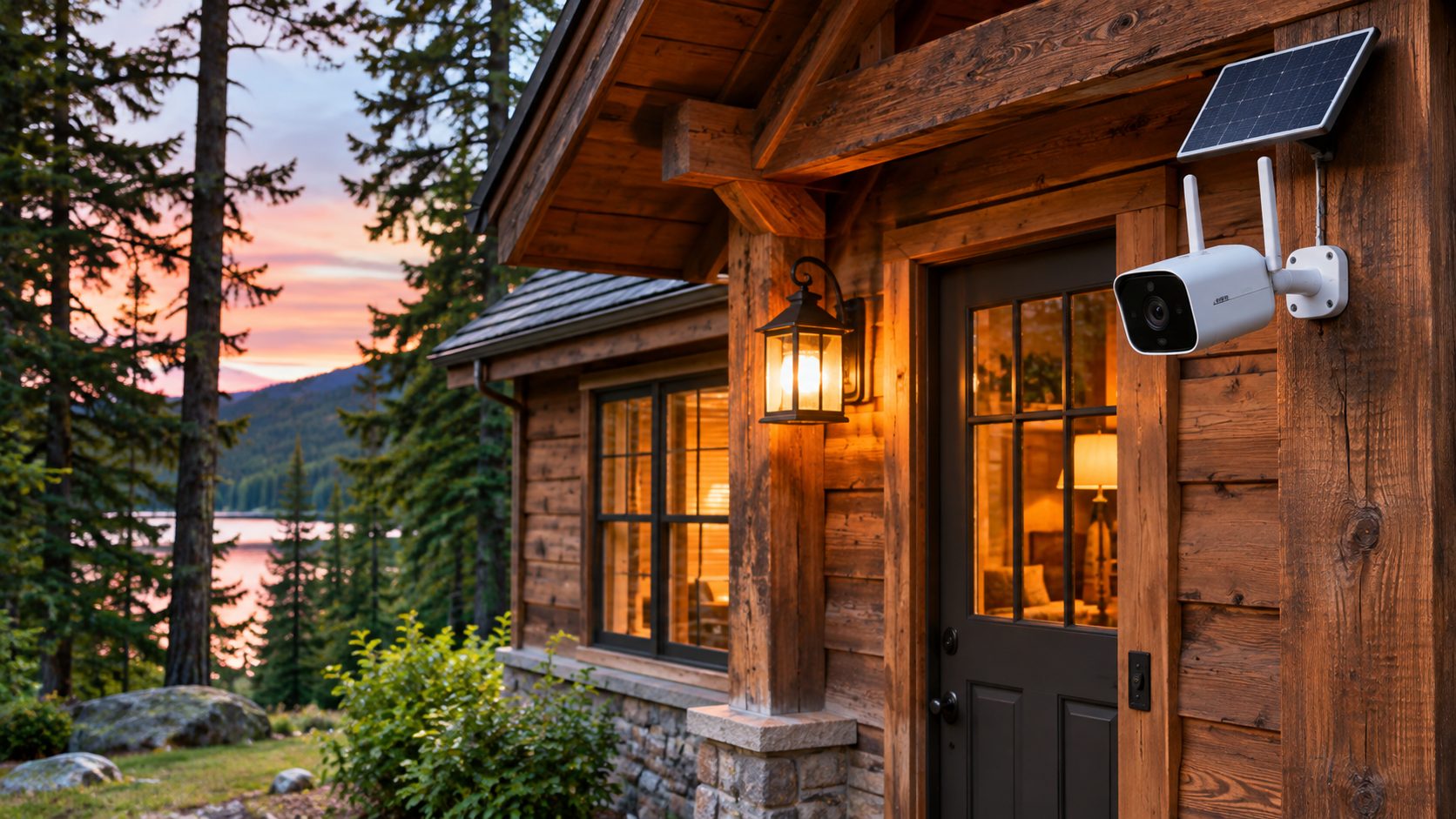
Choosing security cameras for a remote cabin or vacation home requires more than comparing video resolution. Internet availability, winter temperatures, power outages, and the distance to a trusted local contact can determine whether a system is actually useful. This guide compares common camera setups and explains how to choose equipment for a property you do not visit every day.
Fast buyer’s checklist: choose the right cabin camera
Internet and power available: start with Wi-Fi or wired camera options. No cabin broadband but good mobile reception: investigate purpose-built cellular cameras and their data plans. No outlet at the mounting point: compare battery-and-solar designs, checking winter charging limits and whether recording is event-based. Need continuous recording: verify power, storage, and network requirements for the specific model. Before buying, confirm the total first-year cost, including storage subscriptions, data, mounts, and backup power.
For properties without permanent internet, read how to monitor a cabin without Wi-Fi. For outages that could interrupt cameras or routers, see our power outage alerts guide.
Quick verdict: which camera setup fits your property?
For a cabin with reliable broadband and electricity, a Wi-Fi camera can be a straightforward starting point. For a property without broadband, investigate a camera designed for cellular connectivity and confirm its carrier, data plan, and signal requirements. Where power is limited, a battery-and-solar design may reduce charging visits, but solar performance depends on sun exposure, weather, and recording activity. If you need continuous recording, confirm the exact model supports it with your power and storage setup.
Compare camera types before choosing a brand
The best camera is the one that can stay connected, capture useful footage, and notify someone who can respond. These four setup types solve different problems.
| Setup | Best suited for | Main limitation to check |
|---|---|---|
| Wi-Fi camera | Cabin with reliable internet and power | Router and internet outages |
| Cellular camera | Cabin without broadband but with mobile coverage | Carrier compatibility and data costs |
| Battery / solar camera | Outdoor locations without nearby outlets | Winter sunlight and charging requirements |
| Wired / PoE system | Permanent installations and multiple viewpoints | Cabling, recording hardware, backup power |
1. Wi-Fi security cameras for cabins with internet
Wi-Fi cameras are often suitable when the cabin already has dependable internet access and power. Check whether they require a 2.4 GHz network, support local storage, and can send useful alerts without an ongoing cloud subscription. Remember that a Wi-Fi camera cannot provide remote viewing if the router or internet connection is offline, even when the camera itself still has power.
2. Cellular cameras for properties without Wi-Fi
A purpose-built cellular security camera can use a compatible mobile network instead of the cabin’s Wi-Fi connection. Verify carrier compatibility, reception at the mounting location, SIM activation, data charges, and how often the camera uploads clips. Do not assume that a standard Wi-Fi camera becomes cellular just because a mobile phone has reception nearby. Another approach is a cellular router powering Wi-Fi cameras, but it adds equipment and additional failure points. Our guide to monitoring a cabin without Wi-Fi explains the broader connectivity trade-offs.
3. Solar-powered and battery cameras
Solar-assisted battery cameras can be useful at remote gates, sheds, and cabin exteriors where running power is difficult. Compare battery capacity, panel placement, temperature operating limits, expected sunlight, and whether the camera wakes only when motion is detected. Winter days, snow coverage, shade, and frequent recordings may reduce battery life. A solar panel is not a guarantee of uninterrupted operation.
4. Wired and continuously powered cameras
Wired cameras may suit owners who want fixed installations, multiple viewpoints, or continuous recording. Some systems use Power over Ethernet (PoE), which carries data and power through one cable when paired with compatible equipment. A wired camera still depends on the recording device, network, and electricity. For unattended cabins, consider whether a properly sized backup power system is practical and safe.
What to check before buying
Start with connectivity: can the camera reliably communicate from the actual property? Next, evaluate useful motion detection, notification settings, night visibility, weather resistance, field of view, recording storage, and the ability to share access with a trusted caretaker. Check how the system behaves after an outage and whether it resumes operation automatically. Review privacy settings, account security, and update support.
Local storage vs. cloud recording
Local microSD or recorder storage can reduce recurring fees, but footage may be lost if the device is damaged or stolen. Cloud storage can preserve off-site clips, but may require a subscription and working internet or cellular connectivity. Some products support both. Check whether event notifications, playback history, and person detection remain available without a paid plan.
Brands to research: ZOSI and aosu
ZOSI and aosu are two security-camera brands worth comparing when shopping for a remote property. Rather than declaring one the winner, examine the specific models that meet your connection and power requirements. ZOSI offers camera-system options, while aosu offers wireless and solar-oriented products; features vary by model and can change. Confirm current specifications, service requirements, and warranty terms with each manufacturer. Ventrilio has not hands-on tested these products, and no affiliate relationship is implied by mentioning them.
Camera placement for cabins and vacation homes
Prioritize entry doors, driveways, detached structures, and other approaches where a camera can capture useful context. Avoid pointing cameras at neighbors’ private spaces. Mount devices securely, test night footage, and verify that moving branches, road traffic, or animals do not overwhelm motion notifications. Check local rules and any rental-property disclosure obligations before recording audio or video.
Don’t rely on cameras alone for freeze or water damage
Security cameras help you see activity, but they do not replace environmental sensors. If frozen pipes, heating failures, or leaks are major risks, pair the security setup with a suitable freeze alarm, water-leak sensors, and a clear local response plan. Our power outage alert guide covers another common failure scenario.
A practical pre-purchase checklist
Before ordering, verify (1) internet or cellular coverage; (2) reliable power and realistic backup duration; (3) outdoor temperature and weather ratings; (4) usable nighttime image quality; (5) alert accuracy and notification recipients; (6) storage and subscription fees; (7) secure remote access and updates; (8) mounting and privacy requirements; and (9) a person who can investigate urgent alerts.
Bottom line
For a cabin with dependable Wi-Fi, begin by comparing Wi-Fi cameras that meet your coverage and recording needs. Without broadband, investigate purpose-built cellular cameras or a carefully planned cellular-router setup. For off-grid locations, verify battery, solar, and winter performance before buying. The strongest solution is not simply the camera with the longest feature list—it is the setup that remains usable when the property is unattended.
Editorial disclosure: This is an independently prepared buying guide, not a hands-on test or ranked laboratory comparison. Product specifications and service terms may change. No affiliate tracking links are included at publication.